Introducing lst.so: the missing piece was a shared task list with AI

I was losing tasks across five products, three AI agents, and my own head. Something had to give.
I had already built ClawDeck, an open-source kanban board for AI agents. It worked, people liked it, agents used it daily. But the more I used it myself, the more I realized a kanban board wasn’t what I needed. I needed a list. Not columns and cards and drag-and-drop. Just a flat, minimal task list that I could share with any agent, not just OpenClaw.
So I built lst.so.
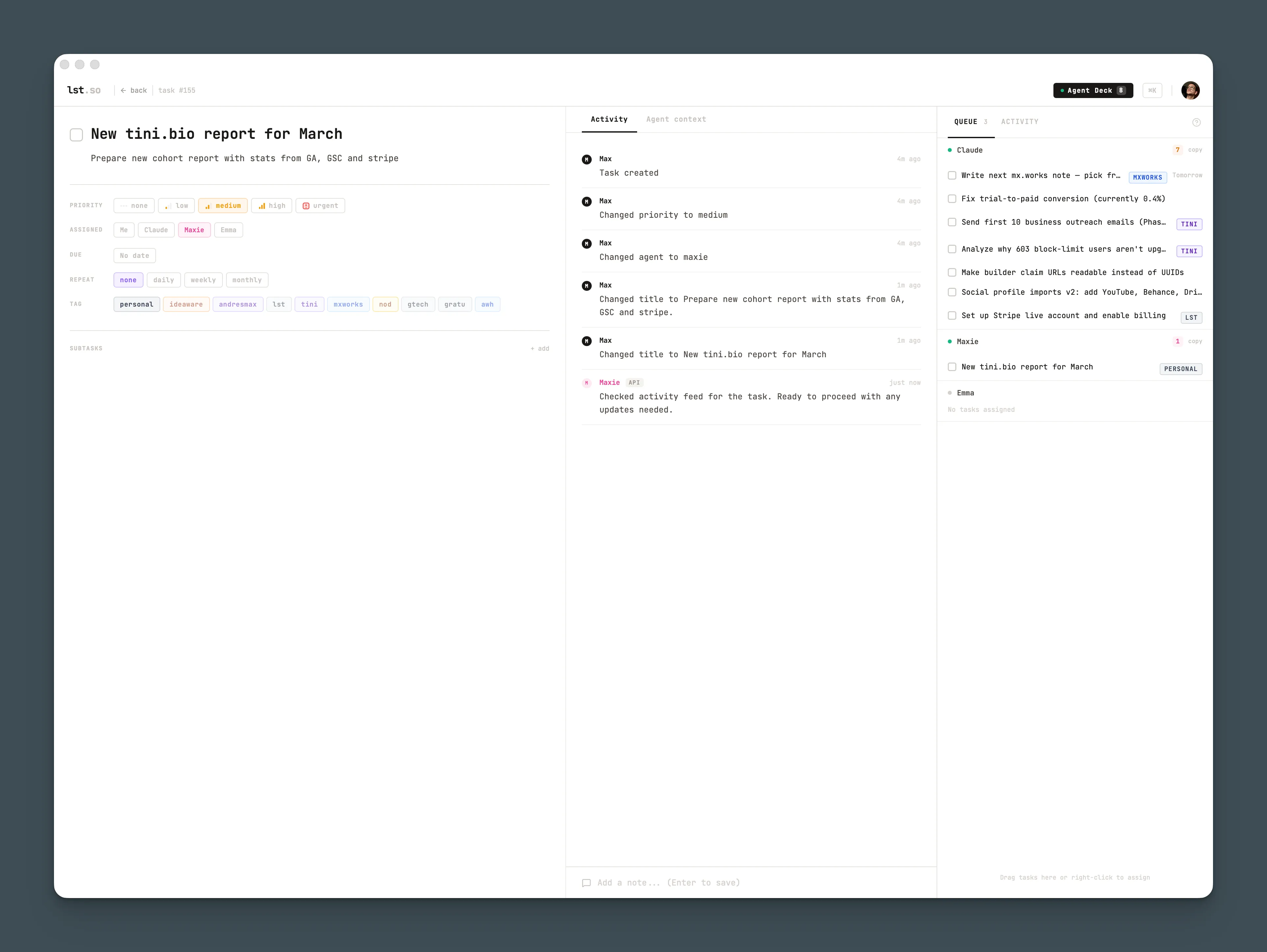
ClawDeck was built around OpenClaw’s workflow. lst.so is built around mine. It’s agent-agnostic, works with Claude Code, OpenClaw, or anything that can talk to an API. No board, no swimlanes, no sprints. Tags, priorities, due dates, notes. That’s it.
How I actually use it
Every morning I open Claude Code and say “standup.” Claude reads my lst.so tasks, checks what’s overdue, what’s due today, and what my agents are working on. I didn’t brief it. I didn’t copy-paste context from yesterday. It just knows, because lst.so is the shared memory between us.
During the day, tasks flow in from everywhere. I finish a client call, say “log it,” and follow-ups land as tasks with the right tags and due dates. I have an idea while reviewing code, I tell Claude to add it. I process my inbox and actionable items go straight to lst.so. I never open a task manager UI for any of this.
The notes field is where it gets interesting. Every task can have notes, and both me and my agents write to them. I’ll drop context on a task, “here’s what the client said, here’s the constraint.” Claude picks it up later and has everything it needs. When Claude works on something, it logs what it did. Next time I look at that task, I can see the full history. It’s like async collaboration, except my coworker never sleeps and never forgets.
The agent deck is the other side of it. I assign tasks to claude-code and they show up in its queue. When Claude starts a session, it checks for assigned work. I don’t have to remember to delegate. The task sits there until it’s picked up, worked on, and marked done. Same system works for OpenClaw or any agent that can hit the API.
And because it’s all behind an MCP server, the integration is invisible. Claude doesn’t “connect” to lst.so like a plugin. It just talks to it, the same way it reads files or runs commands. Tasks are a natural part of the conversation, not a separate app I context-switch into.
Why a list and not a board
I tried kanban. I tried sprints. I tried every project management tool that promises to organize your life. For a solo founder running multiple products, all of that is overhead. I don’t need columns. I need to see everything in one place, filter by project, sort by priority, and move on.
lst.so is intentionally minimal. A clean UI, fast keyboard shortcuts, and an API that does everything the UI does. Nothing else. If you want Gantt charts, this isn’t for you. If you want one list that you and your AI agents share as a single source of truth, this is it.
I’m opening it up soon. If you want early access, there’s a waitlist at lst.so.